How to set a cancellation and no-show policy
Your policy tells clients how much notice you need and what late cancellations and no-shows cost. HueSuite applies it when you cancel an appointment or mark a no-show.
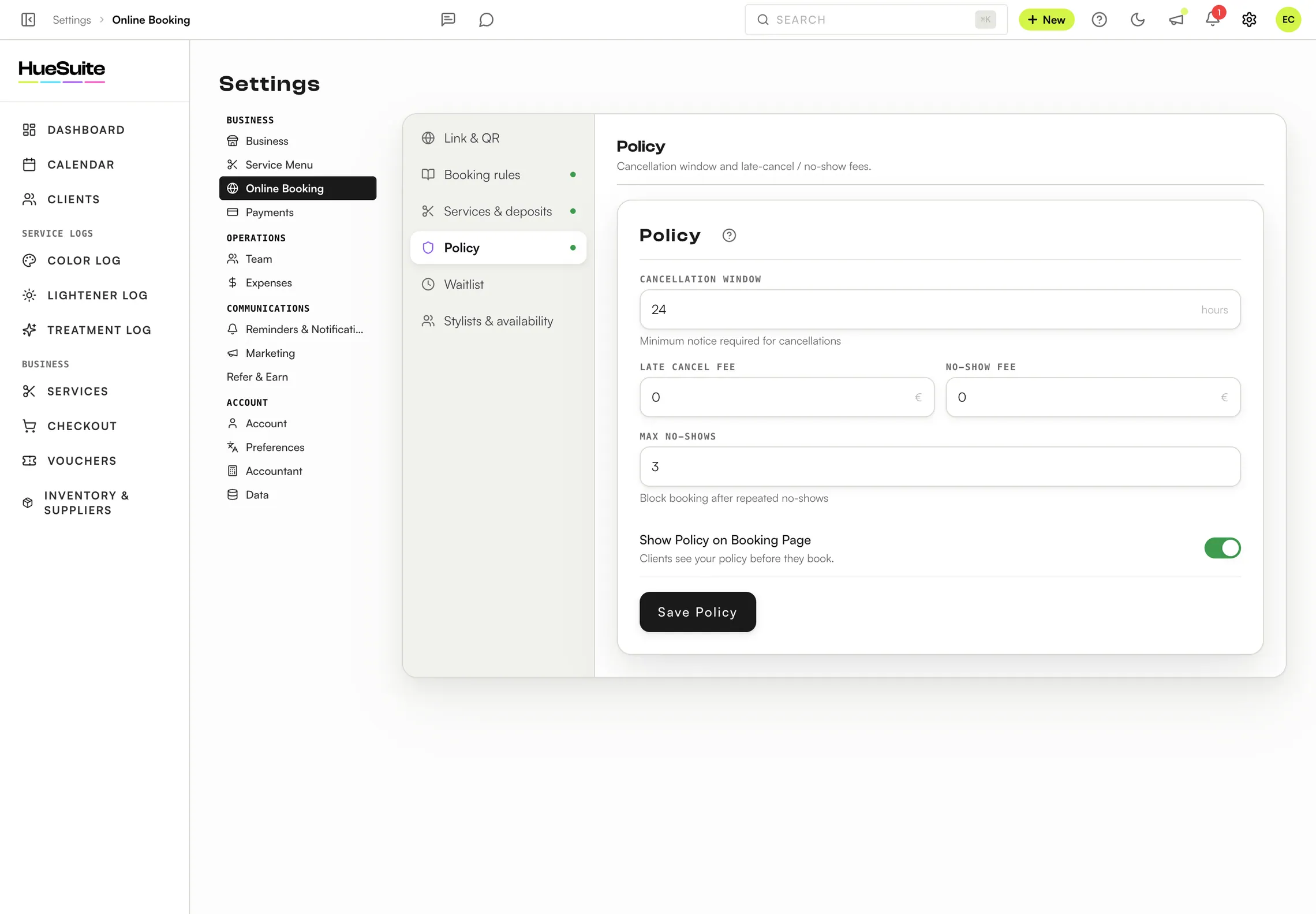
Where to find it Settings → Online Booking → Policy
Step by step
- Open Settings → Online Booking → Policy.
- Set the Cancellation Window — the minimum notice, in hours, a client must give to cancel.
- Set the Late Cancel Fee and the No-Show Fee.
- Set Max No-Shows: after that many no-shows, the client can no longer book online.
- Switch on Show Policy on Booking Page so clients see it before they book, then click Save Policy.
Good to know
- When you cancel or mark a no-show in the calendar, HueSuite tells you if it's late and can take the fee from the client's deposit.
- To collect money upfront, add deposits — see How to take deposits with Stripe.
Plans: Available on Link, Pro and the free trial. Only the salon owner can change these settings.
Still stuck? Email support@huesuite.eu or call +357 99 924 847 — a real person answers.