How to sell and redeem gift vouchers
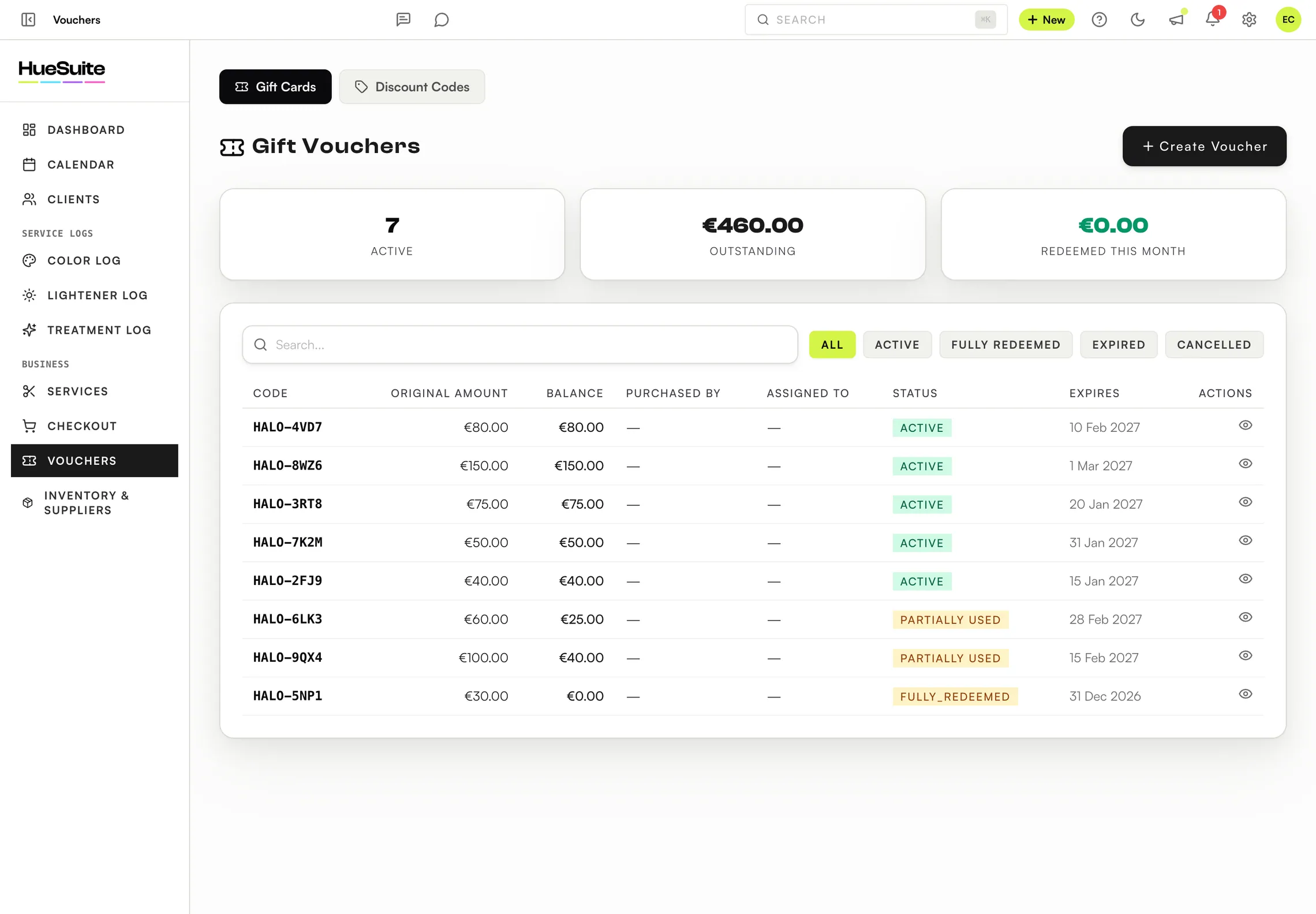
Gift vouchers are sold and tracked in Vouchers and redeemed at checkout. A partly used voucher keeps its remaining balance.
Where to find it Vouchers, in the sidebar
Step by step
- Open Vouchers → Gift Cards and click Create Voucher.
- Enter the Amount, who it's Purchased By, the Recipient, an Expiry Date and Payment Received (cash or card).
- Send it with Send via Email, or give the code to the client.
- To redeem: at Checkout, click Apply Voucher, enter the code and click Apply.
- From a voucher you can Adjust Balance, Extend Expiry or Assign Recipient.
Good to know
- The page shows active vouchers and the outstanding balance — the amount you still owe in services.
- Clients can't check balances online yet; look the code up in Vouchers.
- Discount Codes are on the same page.
Plans: Available on Link, Pro and the free trial.
Still stuck? Email support@huesuite.eu or call +357 99 924 847 — a real person answers.