How to turn on AI Messages
AI Messages answers clients who message you from your booking page and books them in, in 15 languages. Your team can step in at any time.
Where to find it Settings → Plan & Billing → Add-ons, then Settings → Reminders & Notifications → Notifications
Step by step
- Add AI Messages in Settings → Plan & Billing → Add-ons.
- In Settings → Reminders & Notifications → Notifications, switch on AI Auto-Reply to Messages.
- Optional: fill in the Tone & Style Guide so replies sound like your salon.
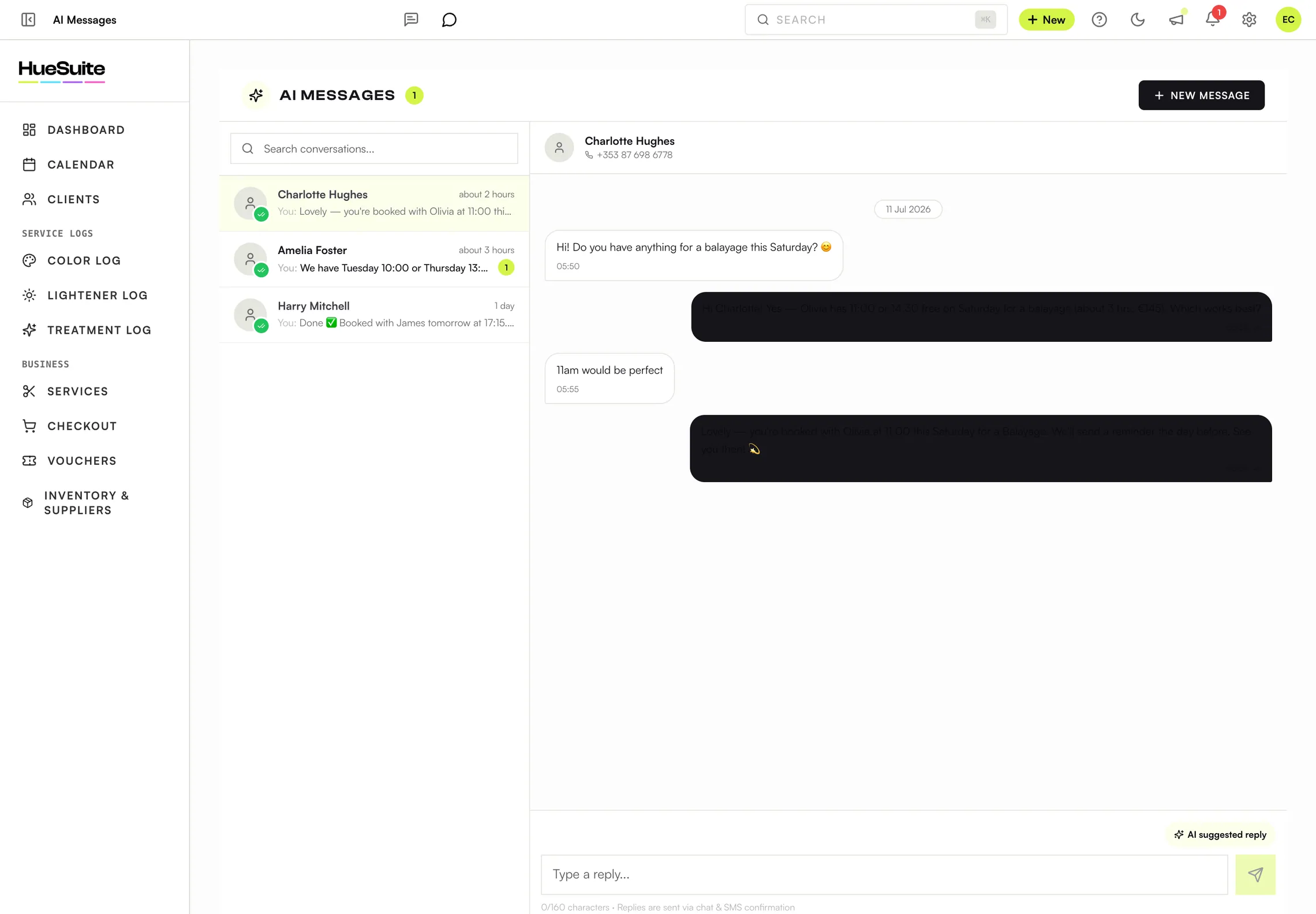
- Read and answer conversations in AI Messages, in the sidebar. Use the AI suggested reply, or type your own.
Good to know
- When someone on your team replies in a conversation, the AI holds off for 30 minutes so you're not talking over each other.
- Clients get replies in the chat with an SMS confirmation, charged at your standard SMS rate.
Plans: AI Messages is an add-on (€30/mo + VAT) on any plan.
Still stuck? Email support@huesuite.eu or call +357 99 924 847 — a real person answers.