How to give your accountant access
Your accountant can see the numbers without seeing your clients, and doesn't take up a paid team seat.
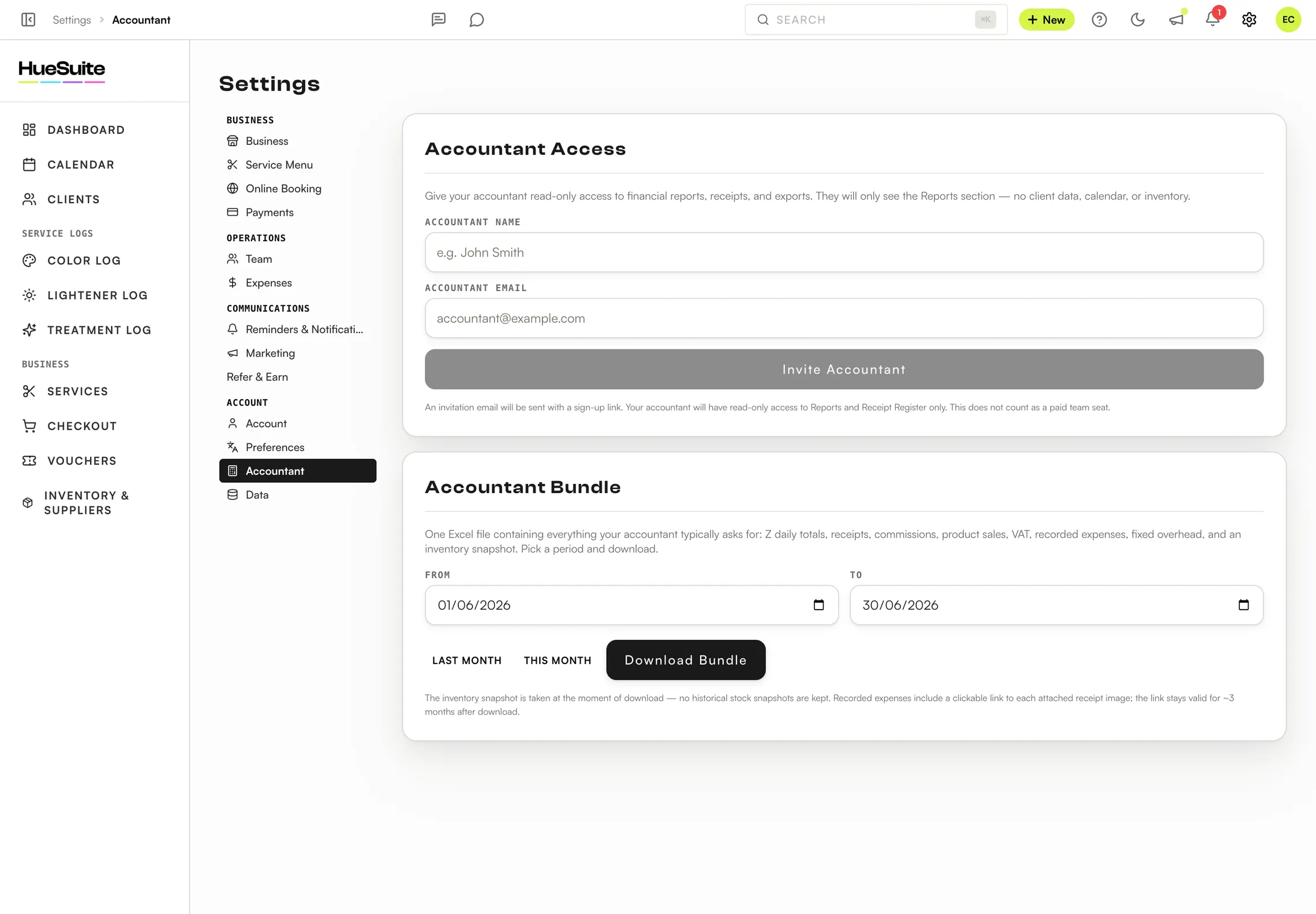
Where to find it Settings → Accountant
Step by step
- Open Settings → Accountant.
- Under Accountant Access, enter the Accountant Name and Accountant Email and click Invite Accountant.
- They receive an email with a sign-up link. Their access is read-only: Reports and the receipt register, with no client data, calendar or inventory.
- For a one-off handover, use the Accountant Bundle: pick a period — Last month, This month or your own dates — and click Download Bundle, or Email to Accountant.
What's in the Accountant Bundle
- Daily totals
- Z report totals for each day
- Sales
- Receipts, product sales and commissions
- Tax
- VAT totals
- Costs
- Recorded expenses and fixed overhead
- Stock
- An inventory snapshot at the time of download
Plans: Available on Link, Pro and the free trial. Only the salon owner can change these settings.
Still stuck? Email support@huesuite.eu or call +357 99 924 847 — a real person answers.